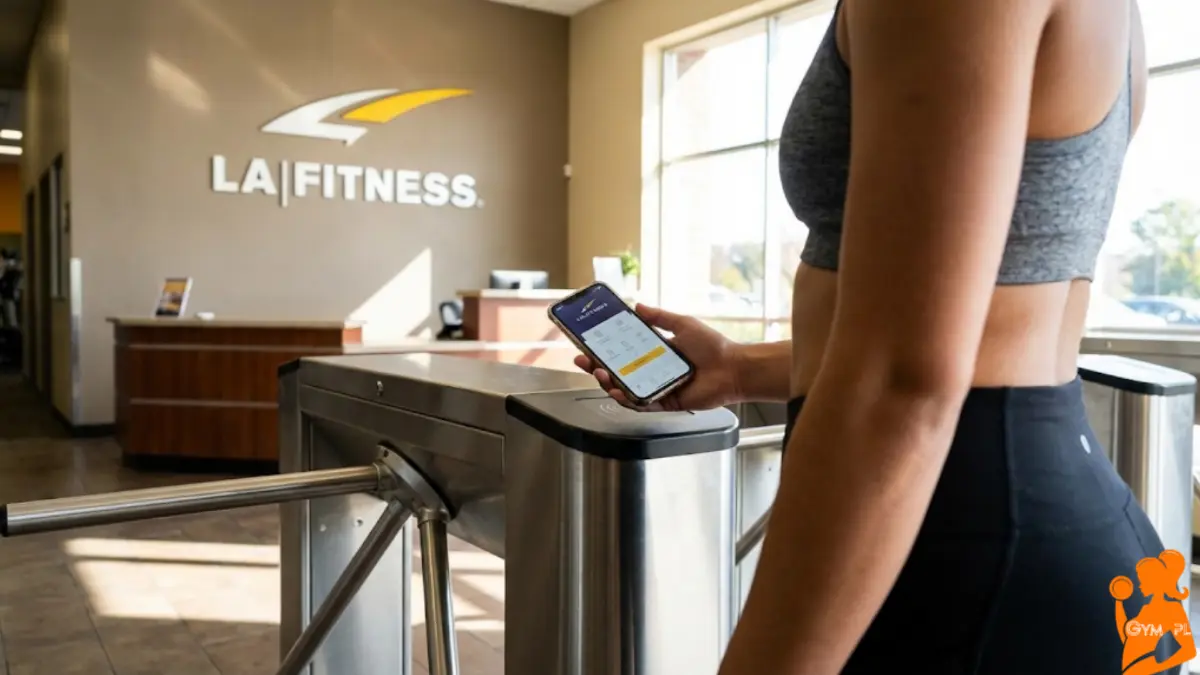
We have all been there. You drive 15 minutes to the gym, park the car, grab your water bottle, walk up to the front desk… and realize you left your plastic key tag on your other set of keys.
In the past, this meant an awkward conversation with the front desk staff to look up your account. Today, you just pull out your phone.
The LA Fitness App (officially called “LA Fitness Mobile”) is designed to replace that flimsy plastic tag and manage your entire fitness life from your pocket. Whether you want to book a racquetball court, check the spin class schedule, or just scan in without touching anything, this app is mandatory for members.
Here is everything you need to know about the app features, download links, and how to fix it if it crashes.

Download the LA Fitness App
The app is free to download for all members. You will need your membership barcode (or email) and password to log in the first time.
- For iPhone Users: Download on the Apple App Store
- For Android Users: Download on Google Play Store
Key Features: Why You Actually Need This App
The app isn’t just a digital ID card; it’s basically the remote control for your membership.
1. Mobile Membership Card (The #1 Feature)
This is what 99% of people use the app for. Once you log in, your unique barcode is stored on the home screen.
- How it works: Open the app, tap “Check In,” and hold your phone screen under the scanner at the front desk.
- Pro Tip: You can add this directly to your Apple Wallet or Google Wallet so you don’t even have to open the app. Just double-tap your phone lock screen.
2. Find Clubs & Class Schedules
Traveling for work? The app uses your GPS to find the nearest LA Fitness. More importantly, it shows you the live class schedule for that specific day.
- No more showing up for Yoga at 6:00 PM only to realize it started at 5:30 PM.
3. Reserve Courts & Classes
If you play racquetball or squash, you know courts get booked fast during peak hours (5 PM – 7 PM).
- The Feature: You can reserve a court up to 24 hours in advance directly through the app. No phone calls required.
- Personal Training: You can also view your trainer’s availability and book your 1-on-1 sessions.
4. Guest Passes
Want to bring a friend? You can email them a guest pass directly from the app. This saves time at the front desk because they can fill out the liability waiver on their own phone before they arrive.
5. Check-In History
This is a surprisingly useful feature for accountability. You can see a log of every single time you visited the gym.
- Psychological Hack: Check your history at the end of the month. If you only see 3 visits, it’s a wake-up call to get back on track!
Real User Review: Is the App Good?
Let’s be honest—gym apps are usually clunky. The LA Fitness app currently holds a 4.8-star rating on the App Store, which is surprisingly high.
The Good:
- It loads fast.
- The “Favorite Clubs” feature lets you toggle between your home gym and your work gym schedules instantly.
- It rarely logs you out.
The Bad:
- It sometimes glitches if you have poor signal inside the gym locker room.
- Canceling a personal training session sometimes requires a phone call if it’s last minute.
Troubleshooting: “Help, My App Won’t Open!”
If you are standing at the front desk and the app is frozen (we’ve all been there), don’t panic.
- Screenshot Your Barcode: Take a screenshot of your QR code when the app is working. Save it to your “Favorites” in your photos. If the app crashes, just scan the photo. It works perfectly.
- Update the App: LA Fitness updates the app frequently to fix bugs. Ensure you are on the latest 2026 version.
FAQs About the LA Fitness App
Yes, the app is 100% free to download. However, you must have an active LA Fitness membership to log in and use the features.
No. This is the most common complaint. As discussed in our Cancellation Guide, LA Fitness does not allow cancellations through the app. You must do it in person or via mail.
Yes! You can update your credit card on file and view your payment history under the “Account Information” tab.
Yes, the latest update allows you to integrate with Apple Health to track your workouts, though it is primarily for check-ins and scheduling rather than fitness tracking.
-: Also Check:- LA Fitness Locations